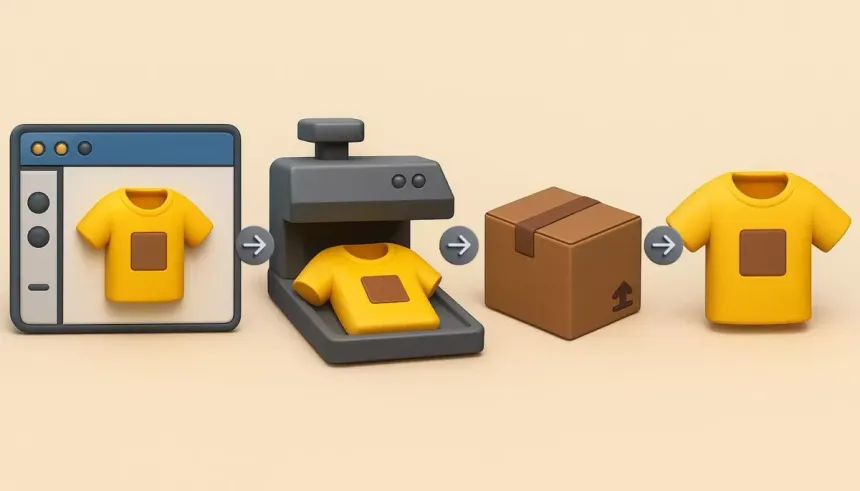
The «Old School» Print on Demand (POD) is officially dead. If your strategy is still just putting «I Love Coffee» in a basic font on a white t-shirt, you’re not a business owner—you’re a dreamer. In 2026, the marketplaces (Amazon, Etsy, Redbubble) are hyper-competitive. To win, you need designs that look like they cost $500 in a specialized boutique, but only took you 30 seconds to generate.
This is Print on Demand 2.0, and your secret weapon is Midjourney. Here is how to dominate the apparel market without ever picking up a drawing tablet.
1. Why Midjourney is the «Unfair Advantage»
Most POD sellers use Canva or basic clip art. That means their stores look exactly like everyone else’s. Midjourney allows you to create unique, high-end illustrations that are impossible to replicate by hand in under 10 hours.
We’re talking about:
- Vaporwave Aesthetics: Perfect for the Gen-Z market.
- Japanese Ukiyo-e Style: Massive trend in 2026.
- Minimalist Line Art: High-profit margins for «aesthetic» home decor and apparel.
2. The Winning Prompts: Quality over Quantity
The secret to a best-seller isn’t just saying «cool cat.» You need to understand Lighting, Style, and Composition. Try these «Expert Level» prompt structures:
- “Minimalist geometric fox, continuous line art style, vector illustration, white background, high contrast –v 6.0”
- “Retro 80s synthwave landscape, neon colors, t-shirt design, flat vector, clean edges –no background”
Pro Tip: Always use the --no background parameter or generate on a solid white background. It makes the «cleaning» process much easier later.
3. The «Technical» Bridge: Upscaling and Vectorizing
Midjourney produces pixels. T-shirt printers need Scalable Vectors (SVG) or high-resolution PNGs. If you send a low-res file to a printer, the shirt will look like a blurry mess, and you’ll get a 1-star review.
- Step 1: Upscale. Use tools like Gigapixel AI or Magnific to blow up the image to 4K resolution.
- Step 2: Vectorize. Use Vector Magic or even the free «Image Trace» in Adobe Illustrator to turn your AI art into a vector that can be printed on a billboard without losing quality.
4. Find the «Niche» (Where the Money Hides)
Don’t target «Dog Lovers.» Target «Left-handed Corgi Owners who love Sushi.» The more specific the niche, the less competition you have.
- Hobbies: Disc golf, urban gardening, mechanical keyboards.
- Micro-Niches: Specific dog breeds doing human things (e.g., «Pugs drinking Espresso»).
- Current Trends: Check TikTok or Google Trends to see what’s blowing up this week and generate 50 designs in that niche immediately.
5. Automation: Scaling to 1,000 Designs
You can’t do this manually. Use tools like Printful or Printify integrated with your Etsy or Shopify store.
- The AI Workflow: Generate in Midjourney → Upscale → Upload to Printify → Sync to Etsy.
- The «Secret Sauce»: Use ChatGPT to write your SEO titles and tags for Etsy. Tell it: «Write 13 high-volume keywords for a t-shirt featuring a Cyberpunk Tiger.»
The Wise Man’s Advice: Build a «Brand,» Not a «Store»
The biggest mistake is having a store that looks like a garage sale. Pick a Visual Style (e.g., «Vintage 90s Streetwear») and stick to it for the whole store. This builds trust, and trust leads to «Multiple Item» orders.
Midjourney is the engine, but your eye for trends is the steering wheel. Stop scrolling and start prompting. Every minute you spend thinking about it, another seller is uploading 10 designs that could have been yours. Launch that shop today.